Interco Tax Automation
Note
To view the legacy version, please select Legacy User Guide.
This automation is used when a VAT return represents a Tax Group (AKA VAT Group) which includes VAT on behalf of multiple Legal Entities.
When this is the case, the posting from the originating VAT return will enter a VAT liability figure for the amount owing and then reverse out the input and output VAT as appropriate. This reversal is an aggregation of the input/ output for all Legal Entities included in the Tax Group. This posting is made to the responsible Legal Entity.
Where the VAT Return includes input/output tax on behalf of other Legal Entities, the Interco Tax Automation creates Interco Tax manual journal to reflect the Interco balance from/to the responsible Legal Entity as well as making suitable input/ output tax adjustments.
Interco tax automations can be run upon posting of the VAT return and can also be run in the Automation finder.
Tip
On the automation, set the trigger to Automatic upon posting if you want to create the Interco tax manual journals automatically upon posting of the VAT return.
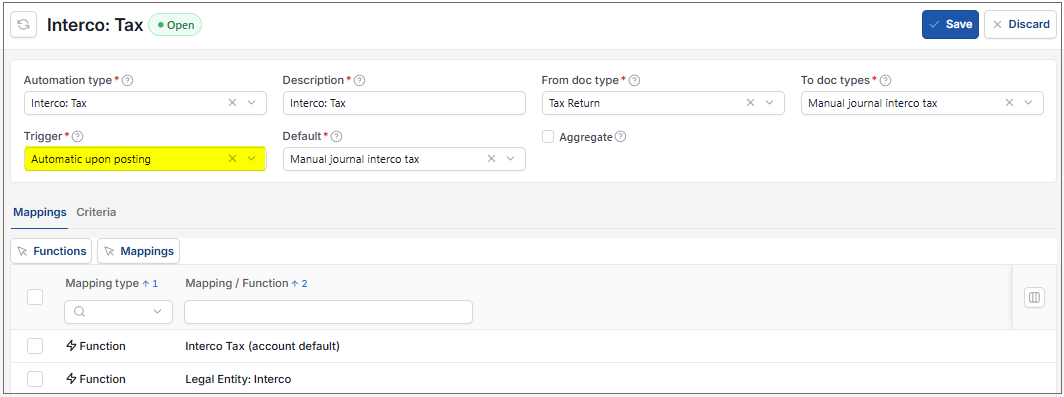
This automation can be Scheduled to run e.g. weekly.
How to view Interco Tax automation
Viewing Interco Tax automation
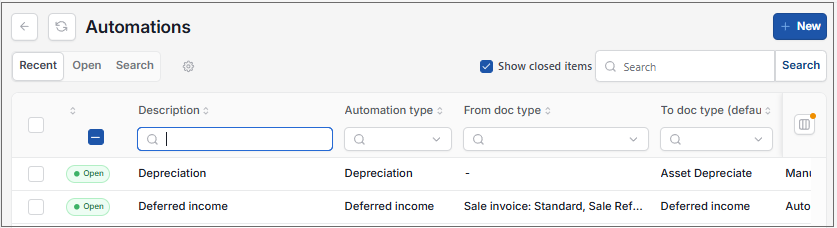
As per Generic Navigation options, either from left-hand navigation panel, expand Settings and select Automations from the Document folder or enter Automations in the Search option.
This will then show the Automations on the system where normal customisation of Sets can be used.
Tip
To modify the columns displayed, select  option on the right of the column display, then tick/untick the information you want to hide or display.
Select Interco Tax automation from the list of Automations.

How to manually run the Interco Tax automation
Manually running Interco Tax automation
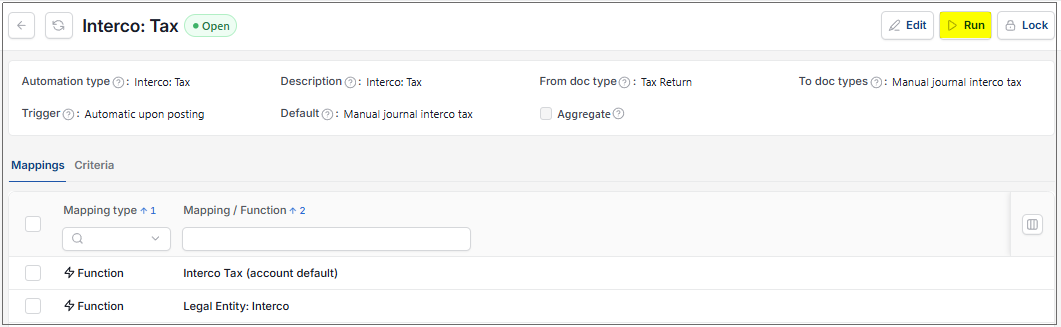
Select, or select and open, the Interco Tax automation then select Run.
Enter the automation criteria.
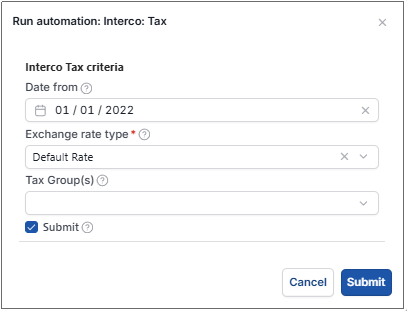
Date from: Select the earliest VAT return date that you wish to include. Any prior VAT returns will be excluded.
Exchange rate type: select the Exchange rate type to be used for foreign Currency documents.
Tip
The exchange rate will be defaulted from the Environment setting.
Tax Group(s): Select Tax Group(s) if you wish to restrict the automation to specific Tax Group(s). Leave blank for all.
Submit: Tick this checkbox if you wish for the Interco tax manual journals to be automatically submitted for authorisation. If unticked, the documents will be created in a 'draft' state.
Select Submit to run the automation.
Select OK to continue working. Automation progress will show on the bottom left of the screen showing either In progress or Complete - see details in step 5 of How to run Automations.
The Manual journal will now be ready in the Manual journal finder.
Updated September 2026