Reminder Letters
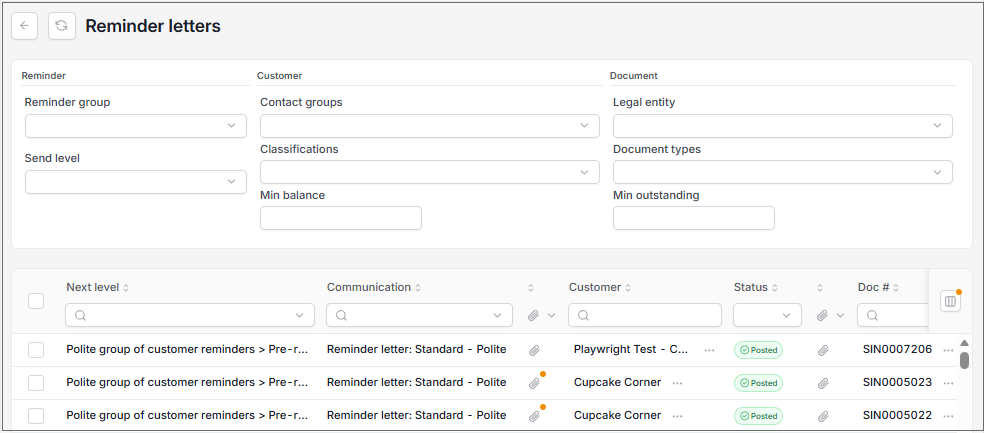
This finder presents all reminder letter Communications.
Note
To view the legacy version, please select Legacy User Guide.
How to view Reminder Letters
As per Generic Navigation options, either from left-hand navigation panel, select Reminder Letters from the Debt folder or enter Reminder Letters in the Search option.
This will then show the Reminder Letters on the system.
Tip
To modify the columns displayed, select  option on the right of the column display, then tick/untick the information you want to hide or display.
You can use the filter fields to present the communication you need.
Finder Information:
Next level: This is the Reminder group which decides the type of letter sent e.g. with or without reminders, statements or invoices.
Communication: This refers to the Communication setup.
Customer: The Customer receiving the reminder letter.
Doc #: The Document number used to identify the document in the finder.
Due date: When the payment is due.
Outstanding: The amount due.
Document type: This is the Document type that the reminder is being sent for e.g. a sales invoice.
Updated August 2026