Staff
Staff records are a comprehensive collection of data about each Employee within an organisation. They play a crucial role in managing the workforce effectively and ensuring compliance with legal and regulatory requirements.
Note
To view the legacy version, please select Legacy User Guide.
How to view Staff
Viewing Staff
As per Generic Navigation options, either from left-hand navigation panel, select Staff from the HR folder or enter Staff in the Search option.
This will then show the Staff on the system where normal customisation of Sets can be used.
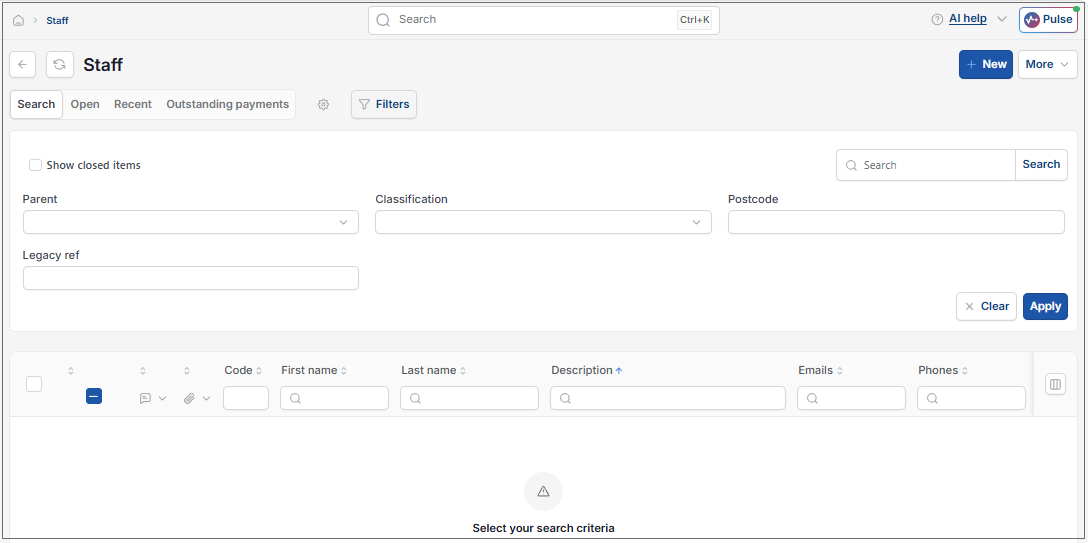
- Code: The code given to the member of staff .
- First and last name
- Contact information:Email, phone, postcode and URL.
Tip
To modify the columns displayed, select  option on the right of the column display, then tick/untick the information you want to hide or display.
How to create a new member of Staff
Creating Staff
Select Staff from one of the options as shown above in Viewing Staff from option above.
Select New.
Enter an account name.
Fill out the remaining fields.
#: Reference to identify the member of staff.
Legacy ref: The old reference used to identify the member of staff.
Tick boxes: Tick the roles that you would like the member of staff to have access to.
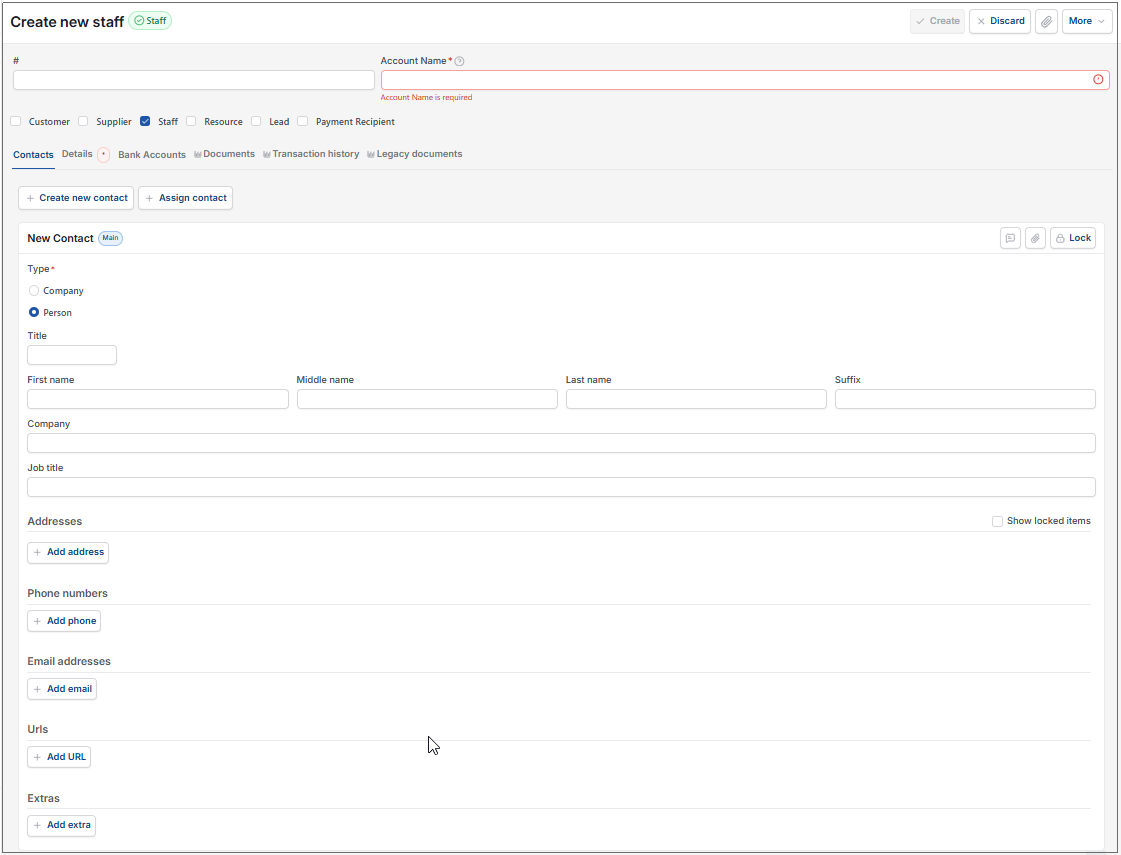
Add appropriate data to the following tabs -
This section will present the contacts that you have listed for the resource. Select Edit then Add to list more contacts under the resource.
You can also Assign a contact to be the main account if there is more than one contact.
- Select Create.
Updated August 2026