Tax Regions
Note
To view the legacy version, please select Legacy User Guide.
A Tax regions is a collective noun for related Tax Authorities. The impact of the relationship between one Tax Authority and another may have an impact on the Tax Return of the Tax Authority in question (e.g. in EW, purchases of goods and services from other EU countries will be subject to Reverse charges).
The Local tax region describes the relationship between a Tax Authority and itself and has no additional special return treatment.
How to view Tax Regions
Viewing Tax Regions
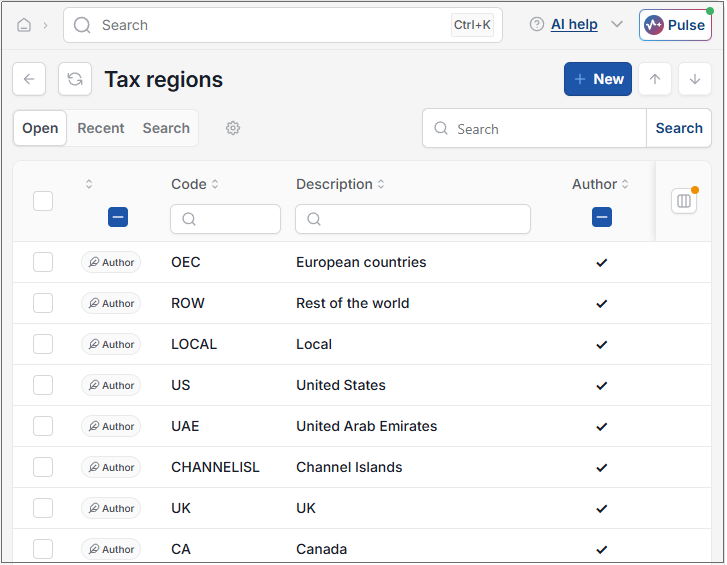
As per Generic Navigation options, either from left-hand navigation panel, expand Settings and select Tax regions from the Tax folder or enter Tax regions in the Search option.
This will then show the Tax Regions on the system where normal customisation of Sets can be used.
Tip
To modify the columns displayed, select  option on the right of the column display, then tick/untick the information you want to hide or display.
Updated August 2026