Attributes
Note
To view the legacy version, please select Legacy User Guide.
- Attributes are one of the cornerstones of the system and are generically used to identify the building block of the majority of the system, examples including Purchase Invoice, Customer, etc.
- The majority of attributes are author based which means that they are delivered as part of the systems package, are defined by our development team and are available for all customer environments. It is also possible to create Custom attributes which are typically created for customer specific purpose.
How to view Attributes
Viewing Attributes
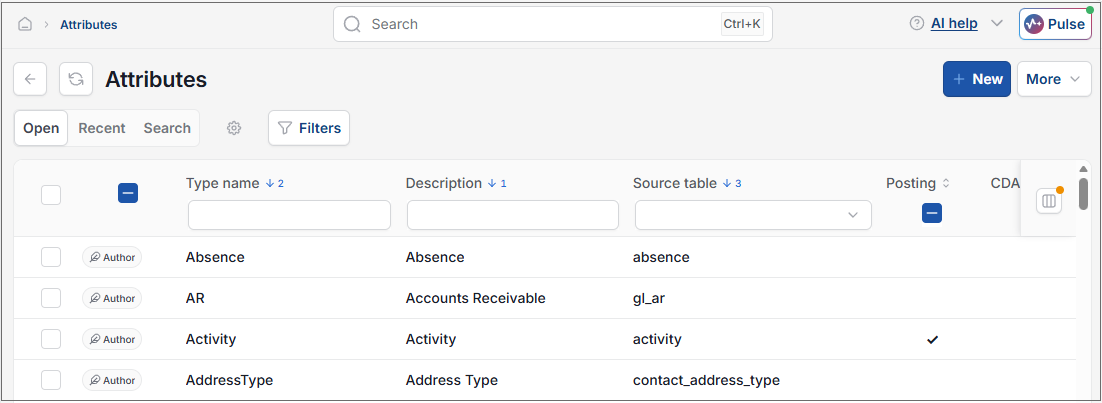
As per Generic Navigation options, either from left-hand navigation panel, expand Settings and select Attributes from the Environment folder or enter Attributes in the Search option.
This will then show the Attributes on the system where normal customisation of Sets can be used.
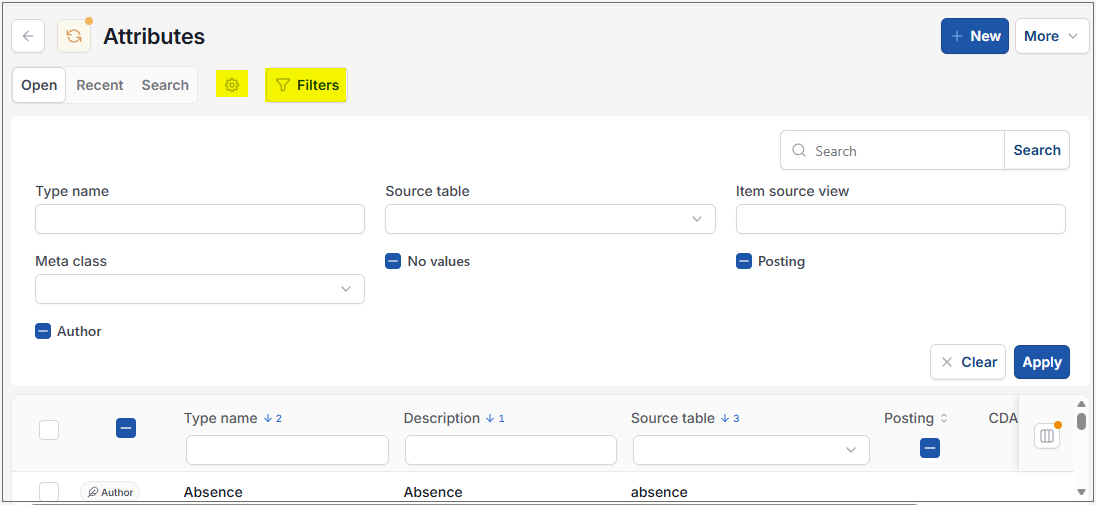
Select the Search option or the  option to display the fields which will enable you to filter the results.
Tip
To modify the columns displayed, select  option on the right of the column display, then tick/untick the information you want to hide or display.
How to create Custom Attributes
Creating Custom Attributes
Custom attributes are created specifically by / for Customer environments.
The system recognises that we will not have attributes to cover all customer needs so custom attributes are available to enable the creation of these attributes and even related catalogs (if required) that reflect the customer specific needs.
Common uses of custom attributes is to create an additional posting attribute
The full visibility of the attribute setup is restricted to author access only. You will be presented with the cut down attribute editor as below.
Tip
You must be in the Attribute admin user role to be able to create custom attributes.
Select New.
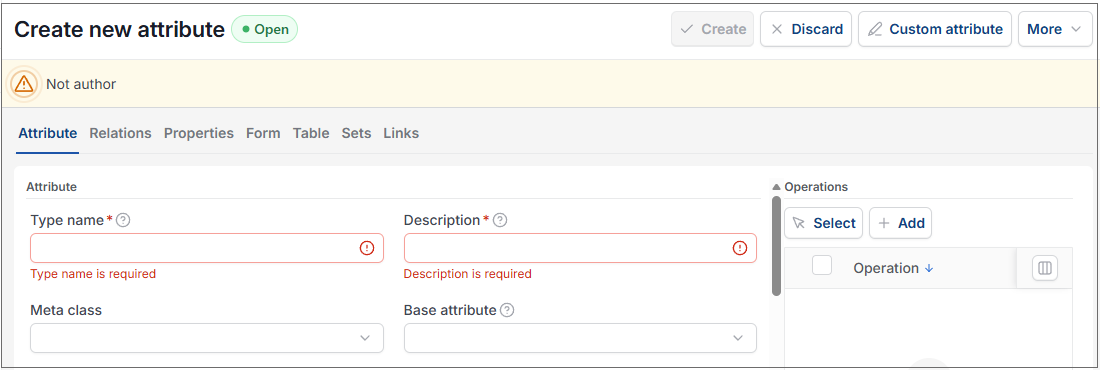
Enter a Code and Description for your attribute.
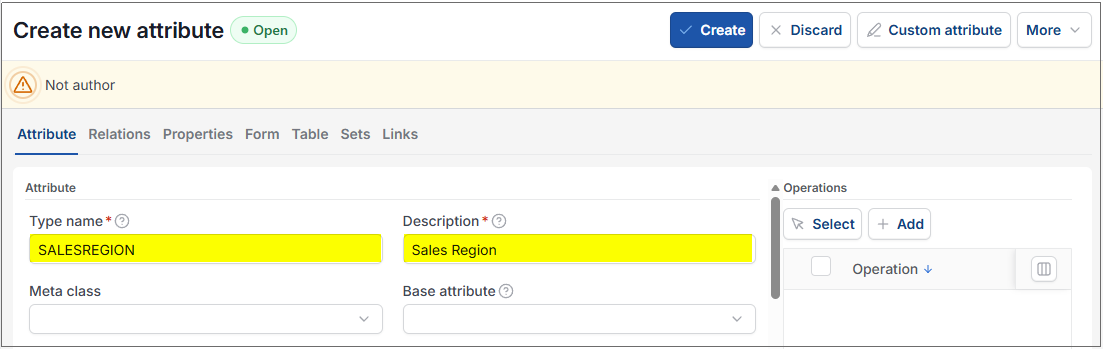
Select Create.
Note
You must create the custom attribute before you can create a related custom catalog.
Select Edit and add a custom catalog as appropriate.
Tick the posting check box if you wish to be able to use this custom attribute on GL postings.
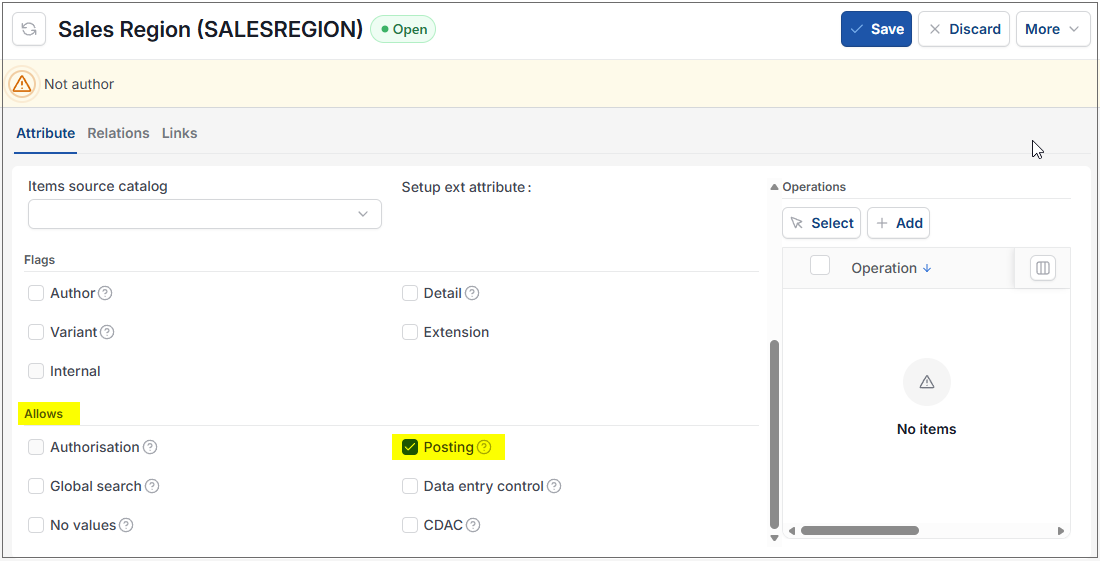
Tip
Tick both Posting and No values check boxes if you want to use this custom attribute for posting, but you want the value to be free text upon entry rather than from a catalog list.
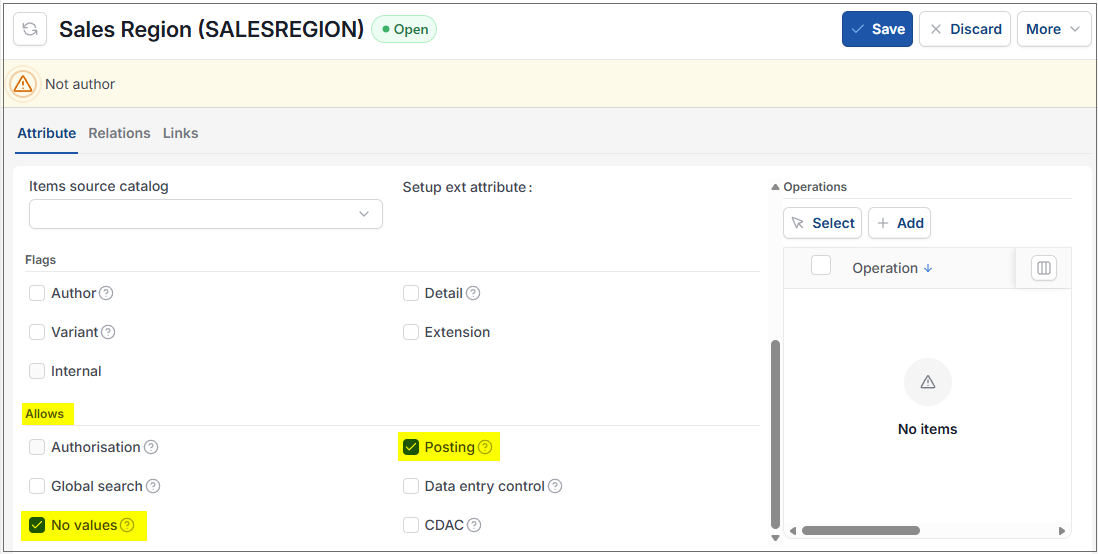
Updated August 2026