Countries
The available Countries are originated from a list of internationally recognised countries defined on the ISO Countries website. They are maintained as author data and are automatically included in releases so you don't need to create your own.
You can reduce the list of available Countries by Locking Countries. If you cannot find a particular Country you want, you can Unlock Countries from the list.
View Countries
In iplicit, go to the Countries menu by either selecting Countries from Localisation in the Settings section from the pulse menu -
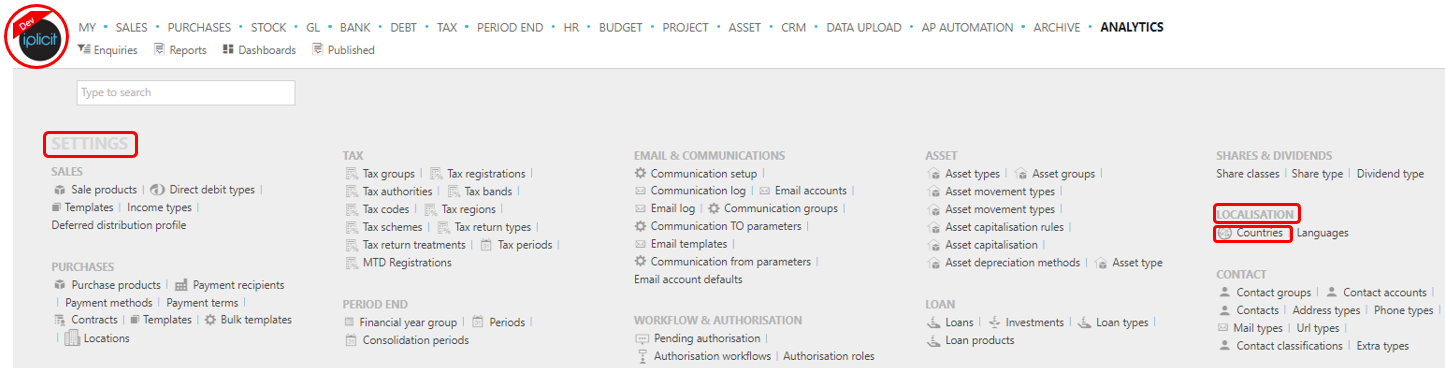
Note
This is an example screen shot of the pulse menu.
Position of the menu items within pulse will vary according to available options and dependent on personal screen resolution.
or enter Countries in the Quick Launch Side Menu.

This will display the Countries menu
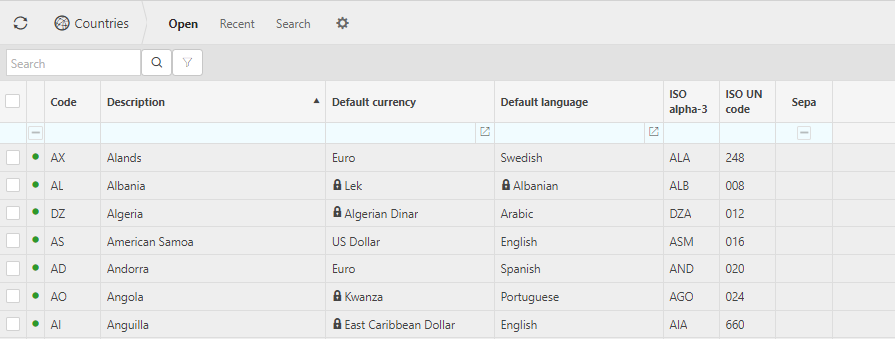
Information shown is self-explanatory.
Tip
To modify the columns displayed, select
 on the top right of the page, then tick/untick the information you want to hide or display.
Removing a Country from the list
To remove a country from the list all you do is Lock the country in question.
Select Countries menu from one of the options as shown in View Countries above.
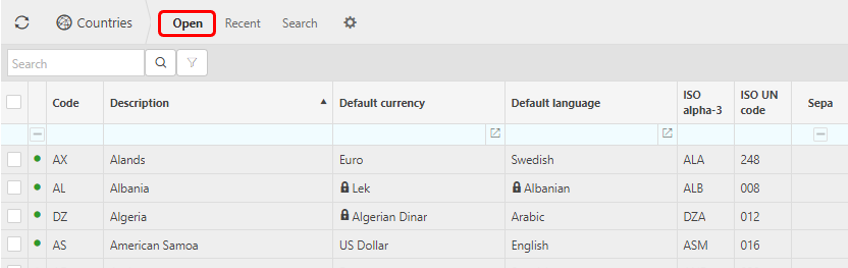
Select the Open set
Find/search and the select the Country or Countries you wish to Lock
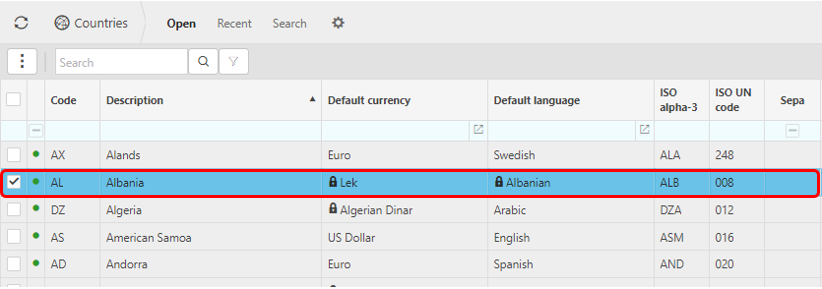
Via the
 button, select Lock
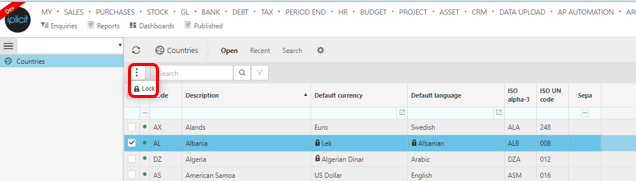
That Country or Countries will then be removed from the list.
Adding a Country back to the list
To add a Country back to the list all you do is Unlock the country in question.
Select Countries menu from one of the options as shown in View Countries above.
Select the Search set
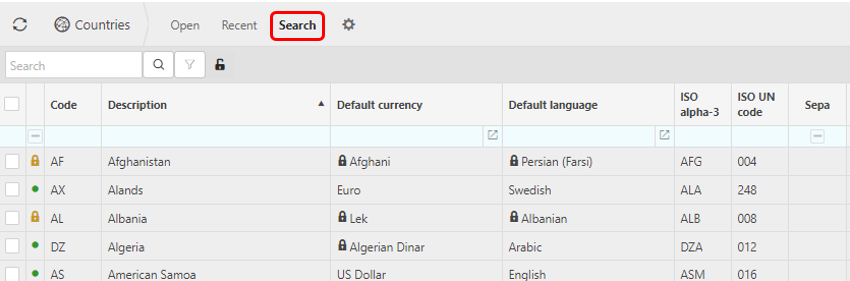
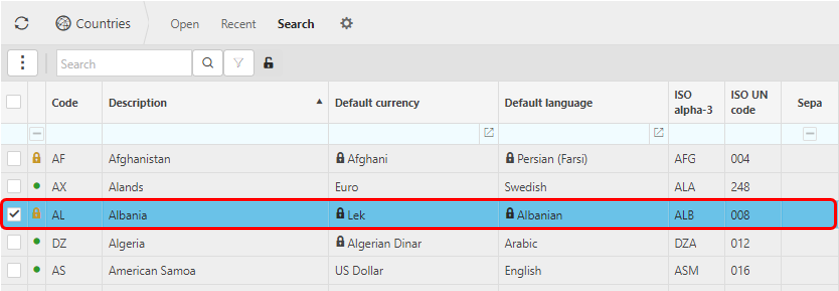
Find/search and the select the Country or Countries you wish to Unlock
Via the
button, select Unlock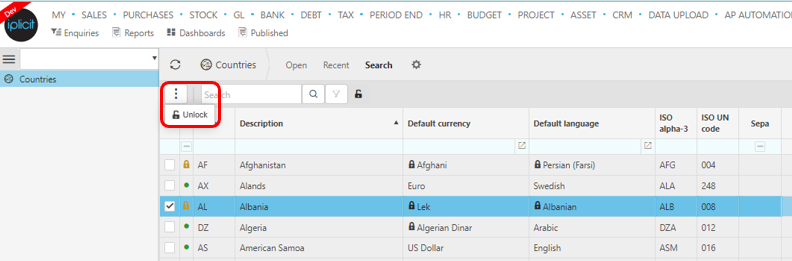
That Country or Countries will then be added back to the list.