Credit Control Settings
How to view Credit Control Settings
Select All detection settings via the Configure tab option in any of the Credit Control detection methods found on the Pulse button ...
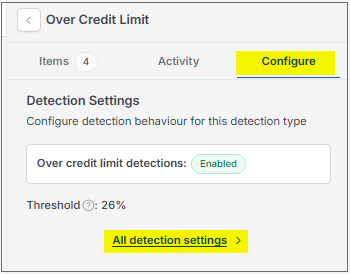
... or enter Credit control settings in the Search option.
This will then show the Credit control settings on the system.
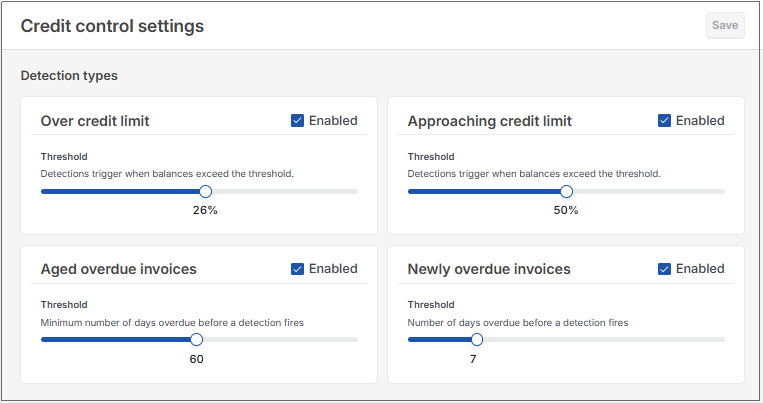
Each of the detection methods can be Enabled so they show in the Pulse option.
Each of the detection methods can be adjusted by threshold percentage or by number of days, whichever is appropriate.
Select Save if any changes are made.
Updated October 2026